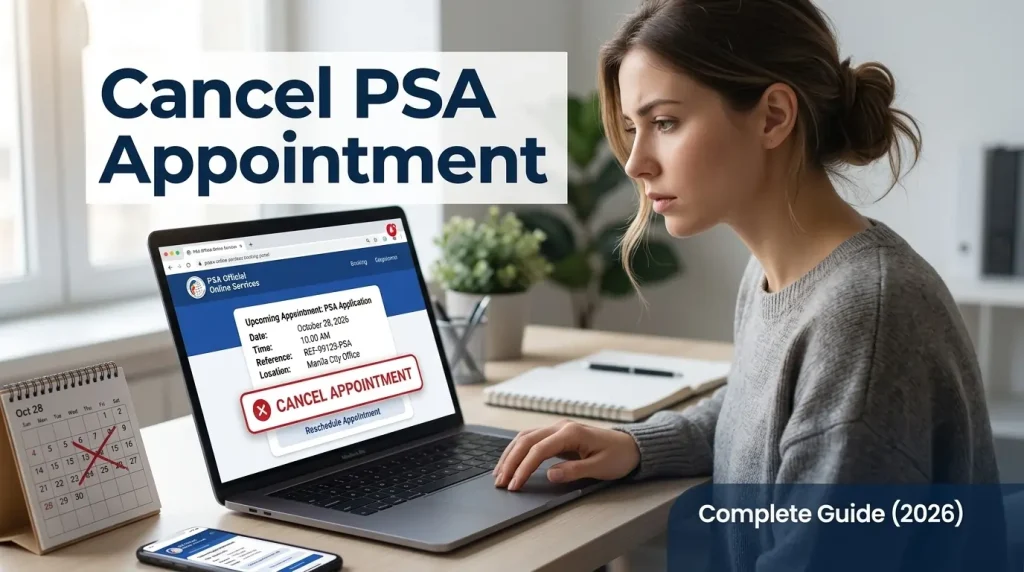
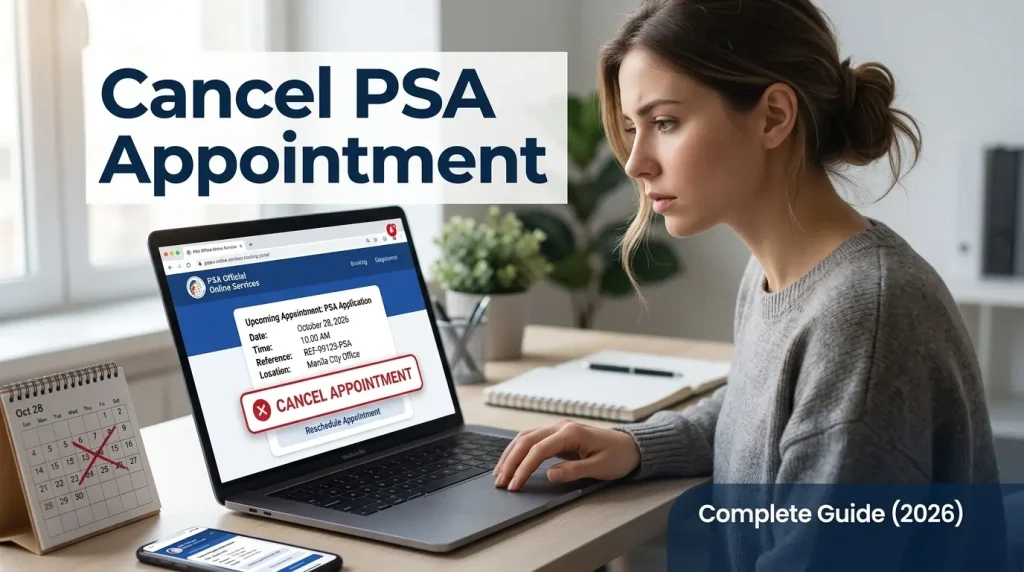
Cancelling your PSA appointment is simple: just use the link in your original confirmation email. PSA only allows cancellations via email, with no phone or in-person options. Your booking confirmation email is all you need.
The Philippine Statistics Authority (PSA) processes over 1.6 million civil registry requests annually across its nationwide network of CRS outlets, according to official PSA data. Every unattended or unreleased appointment slot blocks another Filipino from booking. Cancelling properly and early frees that slot for someone else and keeps your own record clean for future bookings.
This guide walks you through the exact cancellation steps, how rescheduling works, what happens when you miss an appointment without cancelling, and the most common problems people run into along the way.
Can You Actually Cancel a PSA Appointment?
Cancelling a PSA appointment is allowed, free of charge, and available at any time before your scheduled date. The PSA CRS Appointment System lets every applicant manage their booking through a unique link embedded in their confirmation email. No fees are charged for cancelling or rescheduling, regardless of how far in advance or how close to the appointment date you do it.
Two important facts to understand before you start:
First, the cancellation link in your email is unique to your booking. No two appointments share the same link. Never forward or share your confirmation email with anyone, as the link grants direct access to modify your slot. If someone else is processing documents on your behalf, refer to our guide on the authorization letter for PSA.
Second, once a cancellation is confirmed, it cannot be undone. The slot is immediately released back into the system and becomes available for other applicants to book. A cancelled appointment cannot be reinstated. You need to book a completely new appointment from scratch.
Now that you know it is possible and free, here is exactly how to do it.
How to Cancel a PSA Appointment Step by Step
The entire cancellation process takes under 3 minutes. Follow these 5 steps exactly.
Step 1: Find Your PSA Appointment Confirmation Email
Open your email inbox and search for the confirmation email sent by the PSA CRS Appointment System after you booked your slot. The subject line includes your reference number. Use the search bar in your inbox and type “PSA appointment” or your reference number if you remember it.
Still can’t find the email? Check your spam, junk, or promotions folders as government emails are often filtered. For future bookings, use a personal Gmail or Yahoo account to avoid this issue.
⚠️ Important: No confirmation email means no cancellation link. The confirmation email is the only tool the PSA provides for managing your booking. Keep every PSA confirmation email until after your appointment date has passed.
Step 2: Open the Email and Locate the Management Options
Scroll to the bottom of the confirmation email. You will find 3 options displayed as buttons or links: Cancel Appointment, Reschedule, and View Appointment. Click “Cancel Appointment.”
Do not click the Reschedule link if your intention is a full cancellation. The 2 actions produce different outcomes. Reschedule moves your booking to a new date. Cancel removes it entirely.
Step 3: Select a Reason for Cancellation
The system requires you to select or enter a reason before the cancellation is processed. This is mandatory, not optional. Common reasons accepted by the system include health issues, scheduling conflicts, emergencies, changes of plans, and incorrect details entered during booking. Select the reason that best fits your situation and proceed.
Step 4: Confirm the Cancellation
A confirmation prompt will appear asking you to verify the cancellation. Review the appointment details shown on screen: your name, the outlet, the date, and the time. Confirm that these match your booking, then click the final confirm button.
Step 5: Check Your Email for the Cancellation Confirmation
Within a few minutes, the PSA system sends a cancellation confirmation to your registered email address. This email serves as your official record that the slot was released. Keep it in case any discrepancy arises when you rebook.
How to Reschedule a PSA Appointment?
Rescheduling a PSA appointment online follows the same starting point as cancellation: your confirmation email. The difference is which button you click and what the system does next.
Rescheduling keeps your existing booking record and moves it to a new date or time. Cancellation deletes the booking entirely. Use rescheduling when you still plan to visit the same PSA CRS outlet but need a different date or time slot.
Here is how rescheduling works:
- Open your PSA appointment confirmation email.
- Click the “Reschedule” link (not the Cancel link)
- A calendar showing available slots at your chosen outlet opens.
- Select your new preferred date and time from the available options.
- Confirm the new slot.
- Save or print the new appointment slip that arrives in your email.
3 critical rescheduling rules to know before you start:
You cannot change the outlet location. Rescheduling only allows a new date and time at the same CRS branch you originally selected. Changing the outlet requires a full cancellation and a new booking at the preferred location.
The old appointment slip becomes invalid immediately once rescheduling is confirmed. Present only the new QR code from your updated confirmation email at the PSA entrance. Bringing the old slip causes entry confusion.
Rescheduling availability is not guaranteed. Slots at busy Metro Manila branches fill up fast. Act quickly once you open the rescheduling calendar, as the slot you see may be taken by the time you confirm.
💡 Pro Tip: Rescheduling works best when done at least 2 days before your original appointment date. Same-day rescheduling is technically possible, but the system has already processed your slot for that day, making availability limited.
What Happens If You Miss Your PSA Appointment Without Cancelling?
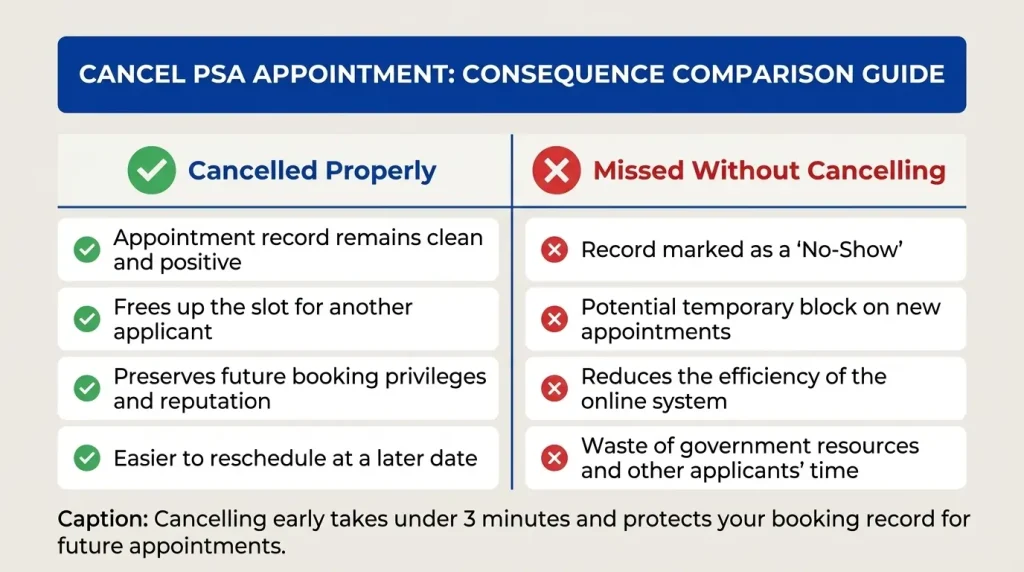
Missing a PSA appointment without cancelling has 4 direct consequences.
- Your slot is forfeited. The PSA does not hold or extend missed appointment slots under any circumstances. No grace period applies.
- Walk-in entry is not permitted. Arriving at a PSA outlet after missing your scheduled time does not grant entry. The PSA enforces a strict no-appointment, no-entry policy at all CRS outlets nationwide.
- Your booking record shows a no-show. The system logs unattended appointments. While the PSA does not explicitly ban repeat no-shows, frequent missed bookings reduce available slots for other Filipinos and waste government resources.
- You must book a brand new appointment. Return to appointment.psa.gov.ph and start the booking process from scratch, selecting a new outlet, date, and time.
The fastest recovery from a missed appointment is to rebook immediately online. For urgent document needs where appointment slots are unavailable, the PSA online delivery service is a practical alternative. It requires no appointment, no travel, and delivers your certificate to your address within 3 to 10 business days. You can get your PSA online appointment rebooked or switch to online delivery based on your timeline.
Common Problems When Cancelling a PSA Appointment
Real applicants run into 5 specific problems when trying to cancel. Here is each one with the fix.
Problem 1: Cannot Find the Confirmation Email
The confirmation email was filtered into spam, junk, or the promotions tab. Search your entire inbox using “PSA” as the keyword. Check all folders, including spam, junk, and promotions. Also, check if you used a different email address during booking than the one you are currently using.
No email found at all after checking every folder? The booking was not completed successfully during the original session. Return to appointment.psa.gov.ph and book a new appointment.
Problem 2: The Cancel Button Is Not Working
Browser compatibility issues cause the cancellation buttons to malfunction on some devices. Switch to Google Chrome or Mozilla Firefox and try again. Clearing your browser cache before clicking the link also resolves most loading errors. An unstable internet connection is another common cause: switch from mobile data to Wi-Fi or vice versa before retrying.
Problem 3: The Link in the Email Has Expired
The PSA management link inside your confirmation email has a validity window. Links accessed very long after the appointment date may no longer function. The practical solution: cancel as soon as you know you cannot attend, not days later.
Problem 4: System Shows “Appointment Not Found”
This error appears when the link is accessed from a forwarded email or a copied URL that has lost part of its tracking parameters. Always click directly from the original confirmation email. Do not copy and paste the link into the browser address bar.
Problem 5: Did Not Receive a Cancellation Confirmation Email
Check spam and junk folders first. Cancellation confirmations from government systems frequently land in filters. Allow up to 15 minutes after completing the cancellation before checking. If no confirmation arrives after 15 minutes, repeat the cancellation process using the same confirmation email link. The system prevents duplicate cancellations once a slot is already released, so the second attempt will either confirm success or show the slot as already cancelled.
When You Should Not Cancel Your PSA Appointment
Cancellation makes sense in genuine scheduling conflicts. Three situations exist where cancelling is the wrong move.
Do not cancel because you made a small name spelling error. Minor details like a middle initial or a name prefix are corrected at the PSA outlet counter by staff. Cancelling and rebooking over a small typo wastes your slot and delays your document processing.
Do not cancel because you think your record might not be available. The PSA outlet can check your record availability on the day of your visit and advise you on the next steps.
Do not cancel because you think your record might not be available. A negative result from the PSA does not always mean you need to cancel and rebook. The PSA outlet can check your record availability on the day of your visit.
Do not cancel to change your outlet location and then try to rebook the same day. Outlet locations with available slots today will likely be fully booked within hours. Complete your PSA online appointment rebooking before cancelling if switching outlets is necessary, to avoid being left without any confirmed slot.
For document requests where the walk-in process feels inconvenient, regardless of scheduling, the online delivery route serves as a complete alternative. It covers all civil registry documents: birth certificates, PSA marriage certificate online, death certificates, and CENOMAR, all delivered to your door without an appointment. Related document guides, like the PSA death certificate appointment, cover specific document types in full.
Frequently Asked Questions
How do I cancel my PSA appointment?
Cancelling your PSA appointment is done through the confirmation email sent to you after booking. Open that email, scroll to the bottom, and click the “Cancel Appointment” link. Select a reason, confirm the cancellation, and wait for the cancellation confirmation email. The entire process takes under 3 minutes and is completely free.
Is a PSA appointment cancellation free?
PSA appointment cancellation is 100% free. The Philippine Statistics Authority does not charge any fee for cancelling or rescheduling a booking. Appointment booking itself is also free. The only fees you pay are the document processing fees at the PSA outlet counter on the day of your visit: ₱155 per copy for birth, marriage, and death certificates, and ₱210 per copy for CENOMAR.
Can I reschedule instead of cancelling?
Rescheduling is available through the same confirmation email. Click the “Reschedule” link instead of the “Cancel” link. The system shows available slots at your original outlet and lets you pick a new date and time. Note that you cannot change the outlet location through rescheduling. Changing outlets requires a full cancellation and a new booking at the preferred location.
What happens if I miss my PSA appointment without cancelling?
A missed PSA appointment without cancellation forfeits your slot permanently. Walk-in entry at the PSA outlet is not granted for missed slots. You need to book a completely new appointment at appointment.psa.gov.ph. For urgent document needs while waiting for a new slot to open up, the PSA online delivery service is available without any appointment requirement.
How long does it take for a cancelled slot to become available for others?
Cancelled slots are released back into the system immediately after the cancellation is confirmed. Other applicants can book that slot within minutes of your cancellation being processed. This is why early cancellation matters: cancelling 2 to 3 days before your appointment gives the freed slot enough lead time to be booked and used by another applicant.
Can I cancel a PSA appointment on the same day as the appointment?
Same-day cancellation is technically possible through the confirmation email link, but the system may have already processed your slot for that day’s queue. Some sources report that same-day changes are restricted once the outlet’s daily processing begins. Cancel as early as possible, ideally at least 24 hours before your scheduled time, to ensure the cancellation is processed cleanly.
What should I do after cancelling if I still need my PSA document?
After cancelling, 2 options are available. The first is to rebook a new appointment at appointment.psa.gov.ph for any available date and outlet. The second is to switch to the online delivery route, which requires no appointment, no travel, and delivers your certificate within 3 to 10 business days. For guidance on booking a new slot, the PSA online appointment page covers the full process. For families needing multiple documents, the book has multiple slots for the family page, explaining how to consolidate requests efficiently.