✅ OFFICIAL GUIDE — UPDATED 2026
PSA Online Appointment: Complete Step-by-Step Guide (2026)
Book your PSA appointment in under 10 minutes no app, no walk-in required. The official portal is completely free. This guide covers every step, fee, and document you need,
🔒 Official PSA Portal • ₱0 Booking Fee • No App Required • Works on Mobile

Complete Walkthrough
How to Book a PSA Appointment Online: All 15 Steps
Follow each step carefully. Screenshots are placed after each instruction exactly as they appear on the official PSA portal.
Go to the Official CRS Appointment Website
Open your web browser (Google Chrome, Firefox, or any browser on your device) and visit the official CRS appointment website at appointment.psa.gov.ph.

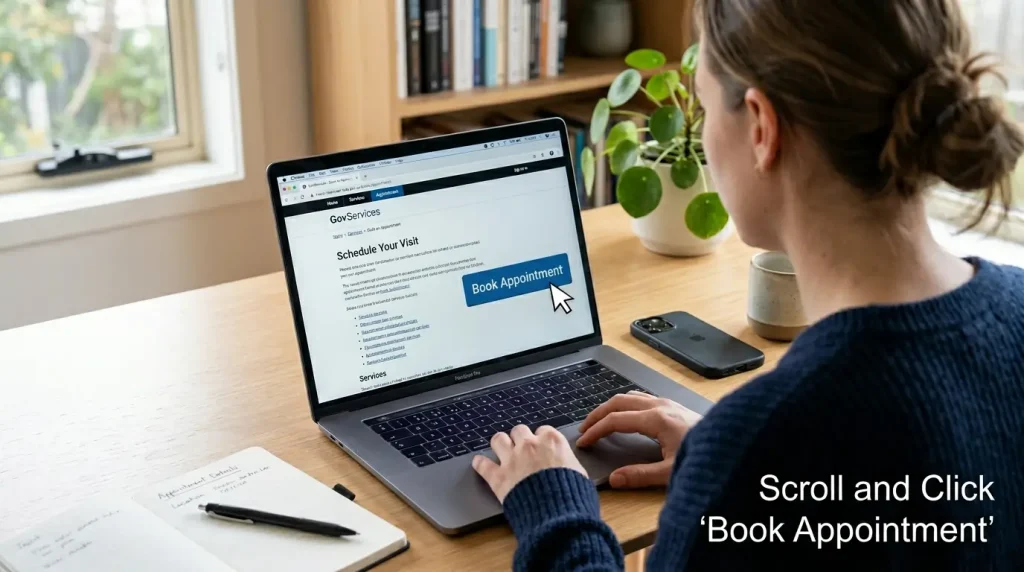
Click on “Book Appointment”
Once the website loads, scroll down the page until you see a blue button that says “Book Appointment”. Click on it to begin the appointment booking process.
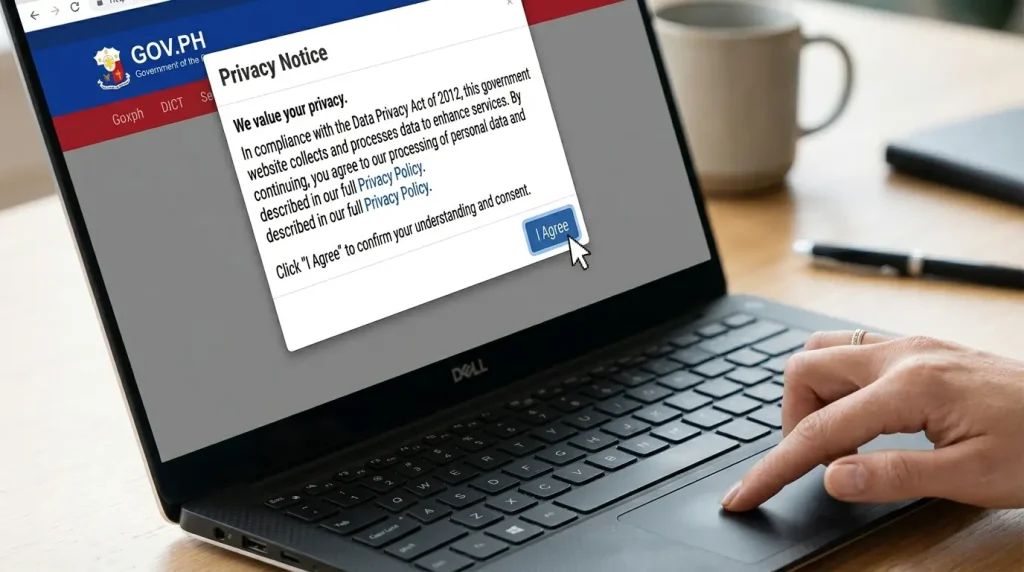
Read the Privacy Notice and Click “I Agree”
A Privacy Notice will appear on the screen. Read it carefully so you understand how your personal information will be used. Once you have read it, click the “I Agree” button to proceed to the next step.
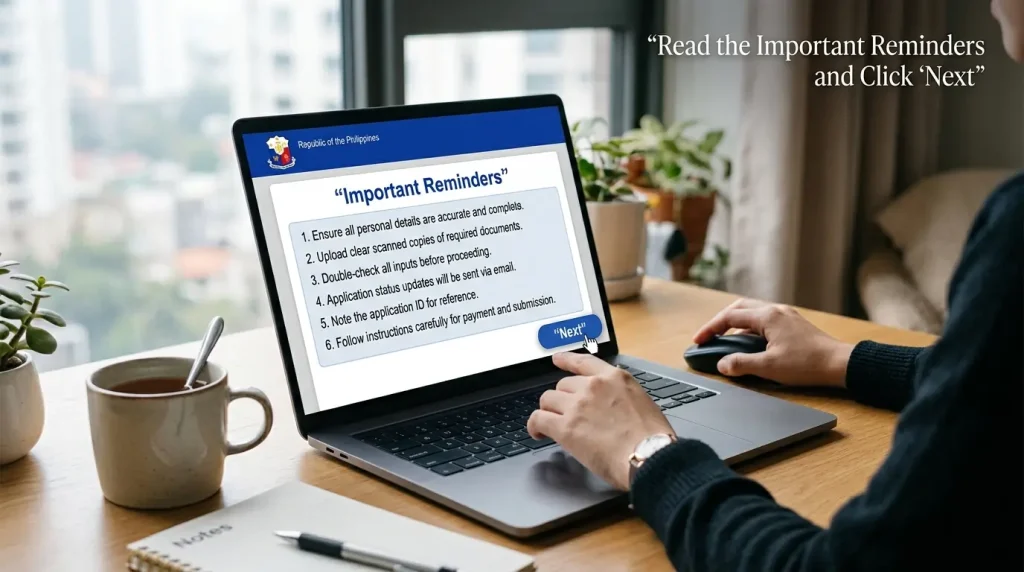
Read the Important Reminders and Click “Next”
A list of Important Reminders will appear on the screen. Read all of them carefully and then click the “Next” button at the bottom right corner of the page to continue.
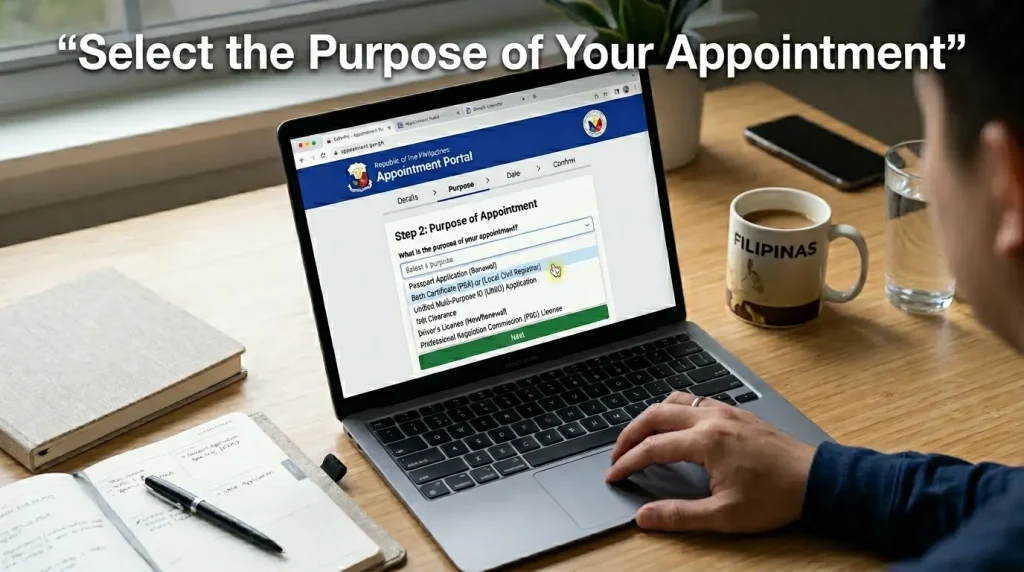
Select the Purpose of Your Appointment
You will see a dropdown menu asking “What is the purpose of your appointment?” Click on it and select the option that matches your reason for visiting PSA from the list. Once selected, click the “Next” button to continue.
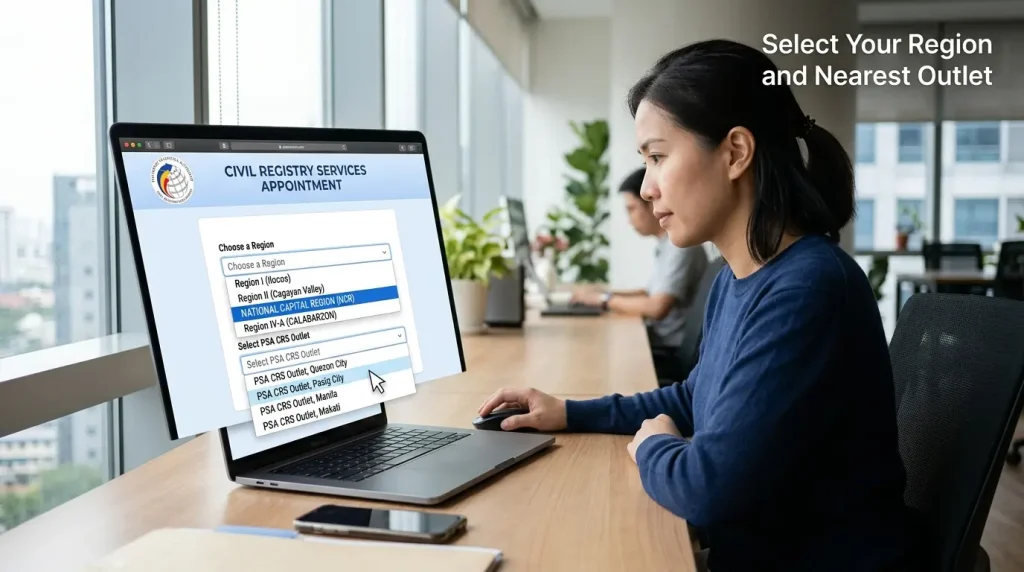
Select Your Region
Click on the “Choose a Region” dropdown and select your region. After selecting your region, a second dropdown will appear — select the PSA CRS Outlet nearest to you.
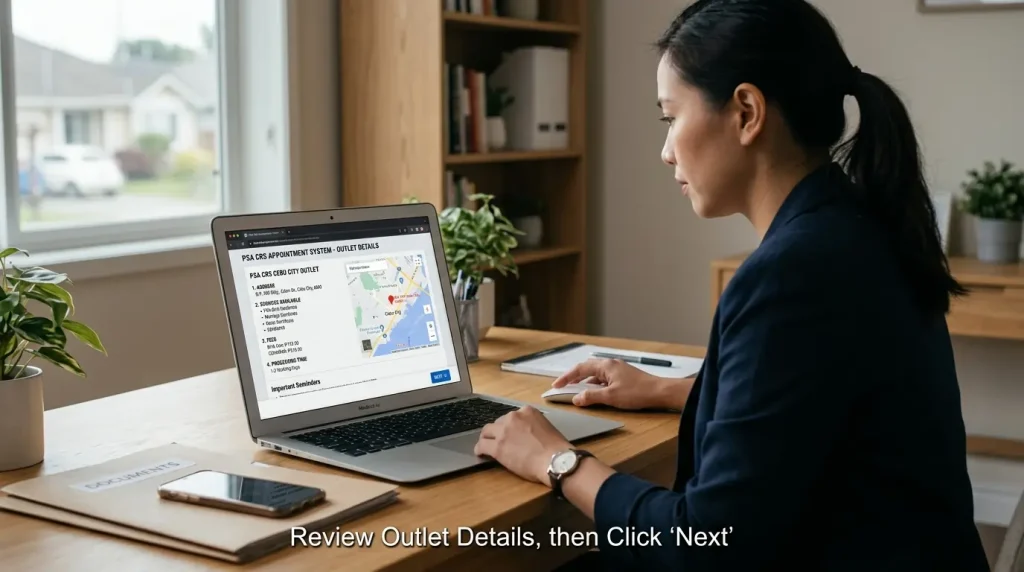
Review the Outlet Details and Click “Next”
The address and location of your chosen PSA CRS Outlet will be displayed along with a map view. Scroll down to read the available services, fees, and processing time. Once reviewed, click “Next”.
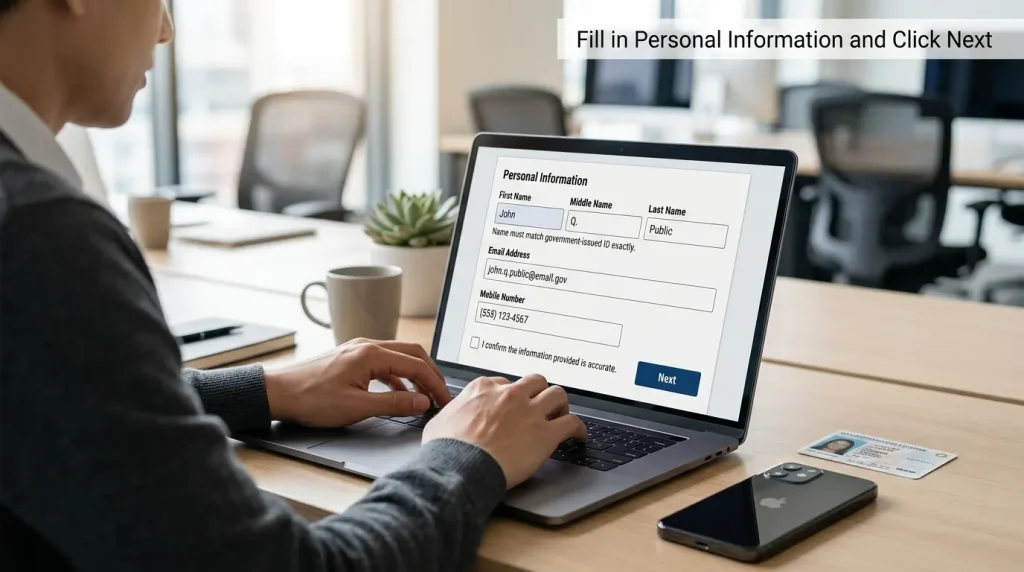
Fill in Your Personal Information
Fill in your First Name, Middle Name, Last Name, Email Address, and Mobile Number. Your name must match your government-issued ID exactly. Check the agreement box at the bottom, then click “Next”.
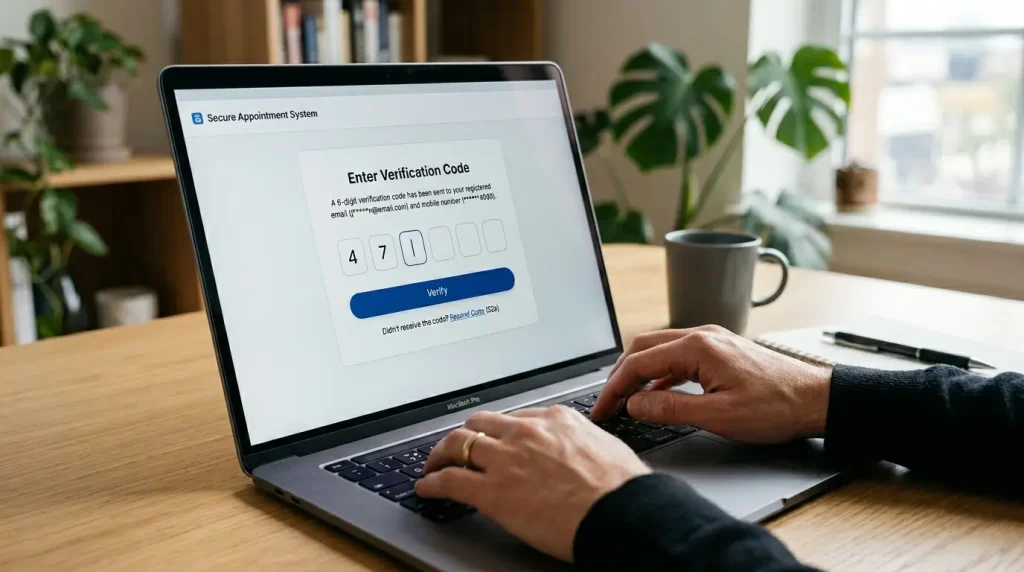
Enter the OTP Verification Code
A 6-digit verification code will be sent to your registered email address and mobile number. Enter the code in the field provided and click the “Verify” button to continue.
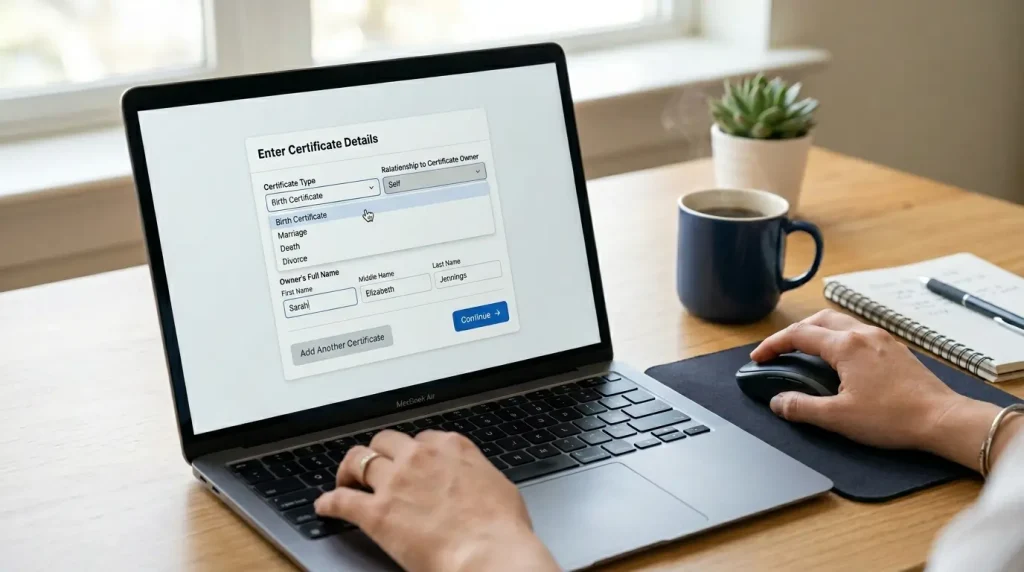
Enter the Certificate Details
Select the Certificate Type, your Relationship to the person on the certificate, and the full name of the person whose certificate you are requesting. If requesting for yourself, select “Self”. Click “Add Another Certificate” if you need more than one.
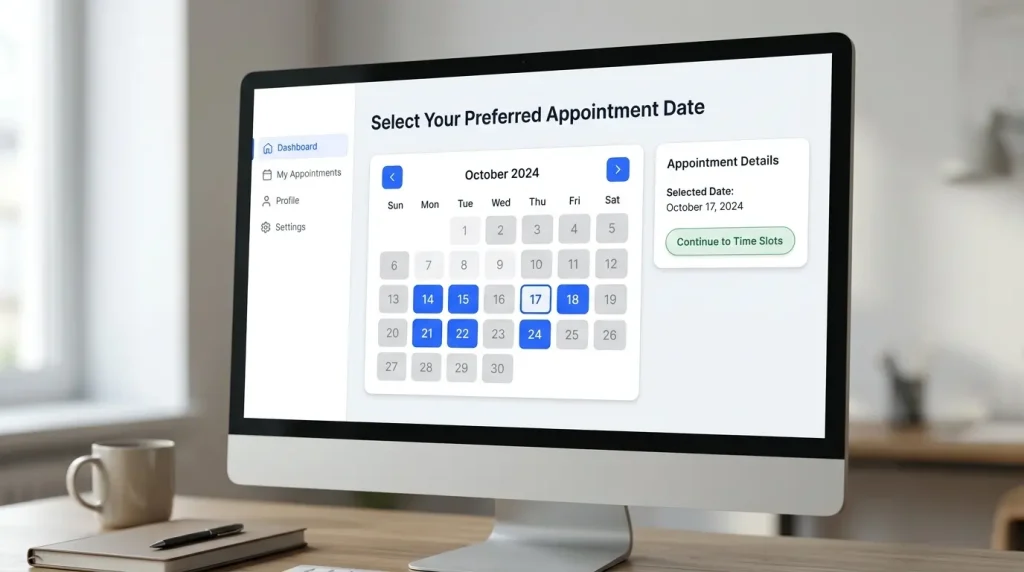
Select Your Preferred Appointment Date
A calendar will appear. Dates highlighted in blue are available slots. Dates that are grayed out are not available. Click on any blue date that is convenient for you.
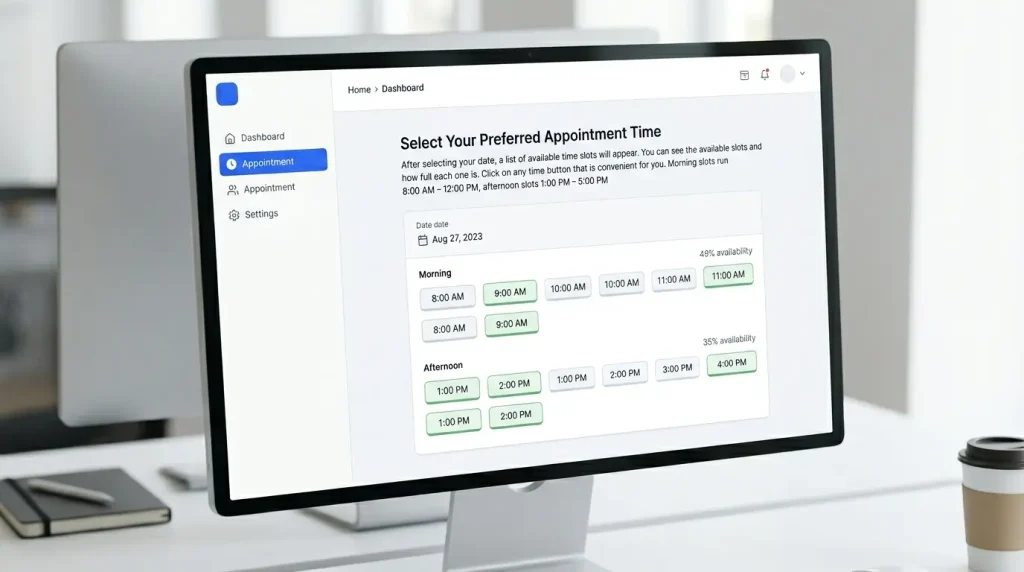
Select Your Preferred Appointment Time
After selecting your date, a list of available time slots will appear. You can see the available slots and how full each one is. Click on any time button that is convenient for you. Morning slots run 8:00 AM – 12:00 PM, afternoon slots 1:00 PM – 5:00 PM.
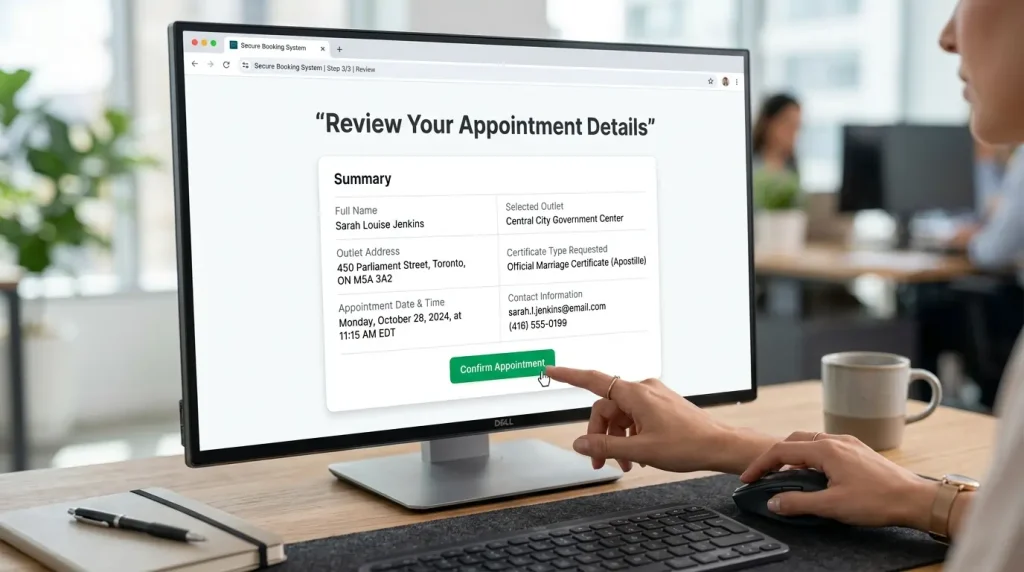
Review Your Appointment Details and Confirm
A summary of your appointment details will appear. Carefully review your name, selected outlet, outlet address, appointment date and time, certificate requested, and contact information. Once everything is correct, click the “Confirm” button to finalize your appointment.
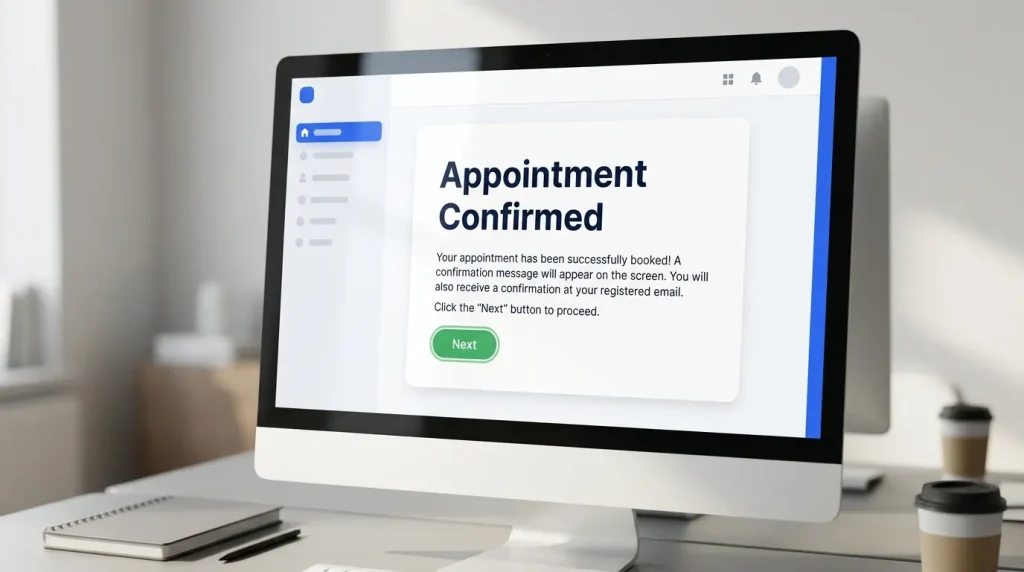
Appointment Confirmed
Your appointment has been successfully booked! A confirmation message will appear on the screen. You will also receive a confirmation at your registered email. Click the “Next” button to proceed.
Save Your Appointment Slip
Your Civil Registration Service Appointment Slip will be generated, containing all your appointment details along with a QR code. You can also download the application forms for your required certificate. Click the “Print Appointment Form” button to print your appointment slip, you must bring this on the day of your appointment.
What You Need to Know
What Is the PSA Online Appointment System?
The PSA Online Appointment System is a web-based scheduling platform operated by the Philippine Statistics Authority that allows individuals to reserve a visit slot at any PSA CRS outlet across the Philippines. It operates at appointment.psa.gov.ph, the only official government portal for this service.
The system was introduced to eliminate unmanageable queues at PSA offices. Before this system, Filipinos would line up for hours, sometimes arriving before sunrise, with no guarantee of being served. The appointment system ended that.
Booking a slot is completely free. You pay only the certificate fee when you arrive at the PSA outlet on your scheduled date. Without a confirmed appointment, entry is not permitted, the agency enforces a strict no-appointment, no-entry policy at all locations nationwide.
Quick Summary
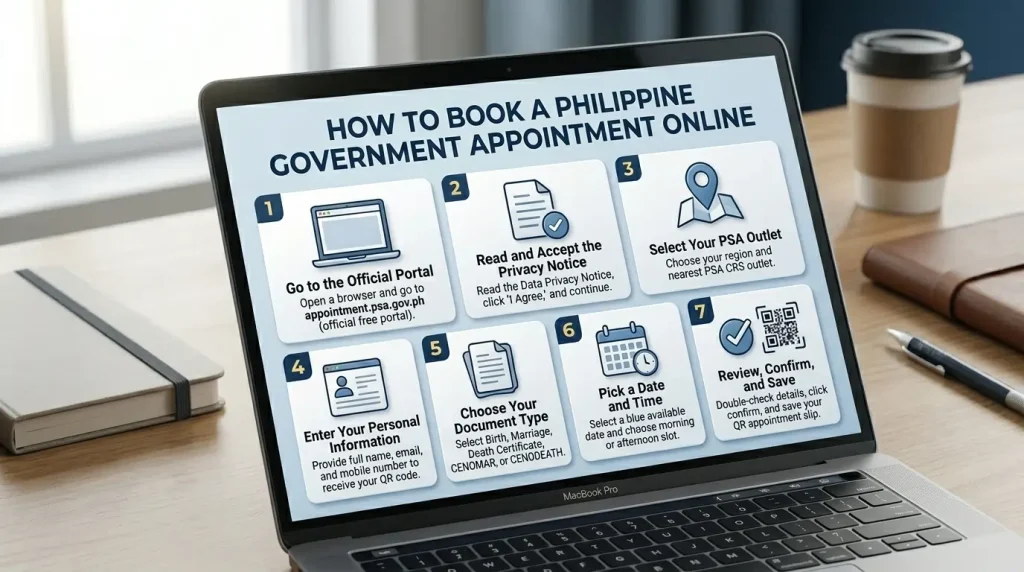
How to Book a PSA Appointment: 7-Step Overview
The entire process takes under 10 minutes on any device, no app download required.
Certificate Costs
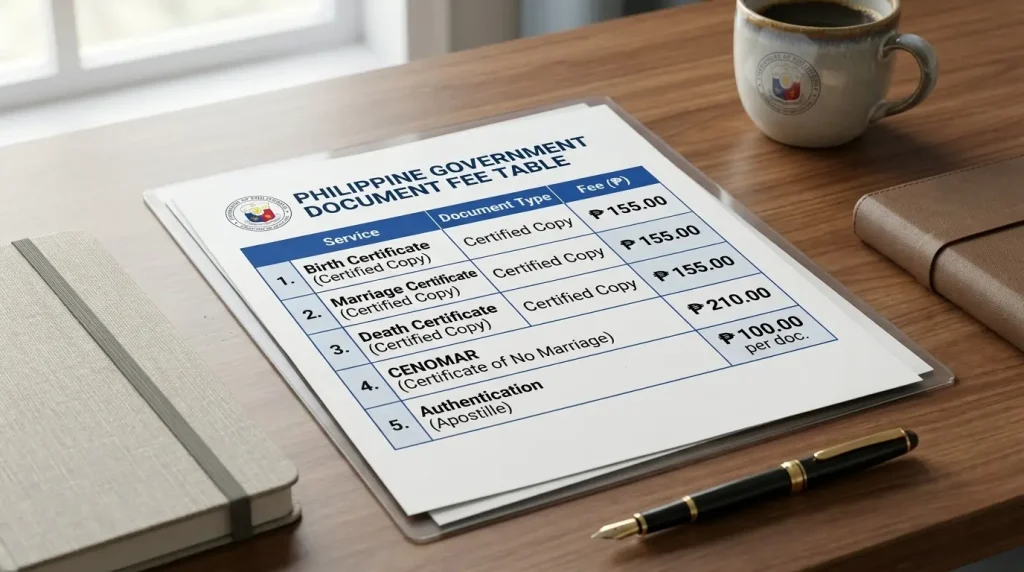
PSA Online Appointment Fee: How Much Does It Cost?
The PSA online appointment fee is ₱0.00, scheduling through the official portal is completely free. Fees apply only when you claim your certificate at the PSA outlet.
Be Prepared
What to Bring to Your PSA Appointment
Arriving prepared prevents you from being turned away at the counter. Bring all of the following.
👤 For Yourself
🤝 As Authorized Representative
Bring everything from the left, PLUS:
Which Option Is Right for You?
PSA Appointment vs. PSA Delivery: Which Should You Use?
The PSA offers two ways to get your civil registry documents. The right choice depends on your situation.
| Factor | PSA Online Appointment | PSA Delivery (PSAHelpline.ph) |
|---|---|---|
| Cost | Certificate fee only (₱155–₱210) | Certificate fee + delivery charge |
| Travel Required | Yes, visit PSA outlet in person | No, delivered to your address |
| Waiting Time | Same day (with appointment) | 3–10 business days |
| Ideal For | Urgent needs, special cases, corrections | OFWs, busy professionals, remote areas |
| Walk-in Allowed | No, appointment required | Not applicable |
| Who Can Request | Self, children, parents, authorized reps | Self, children, parents only |
Special Situations
PSA Gov Ph Online Appointment: Special Cases
Certain groups have specific considerations when using the PSA online appointment system.
OFWs and Filipinos Abroad
Overseas Filipino Workers cannot use the PSA gov ph online appointment system from abroad, the portal requires a Philippine mobile number for OTP verification. OFWs must authorize a family member in the Philippines to book and claim on their behalf, or order through the PSAHelpline.ph delivery service which ships internationally to select countries.
Senior Citizens and PWDs
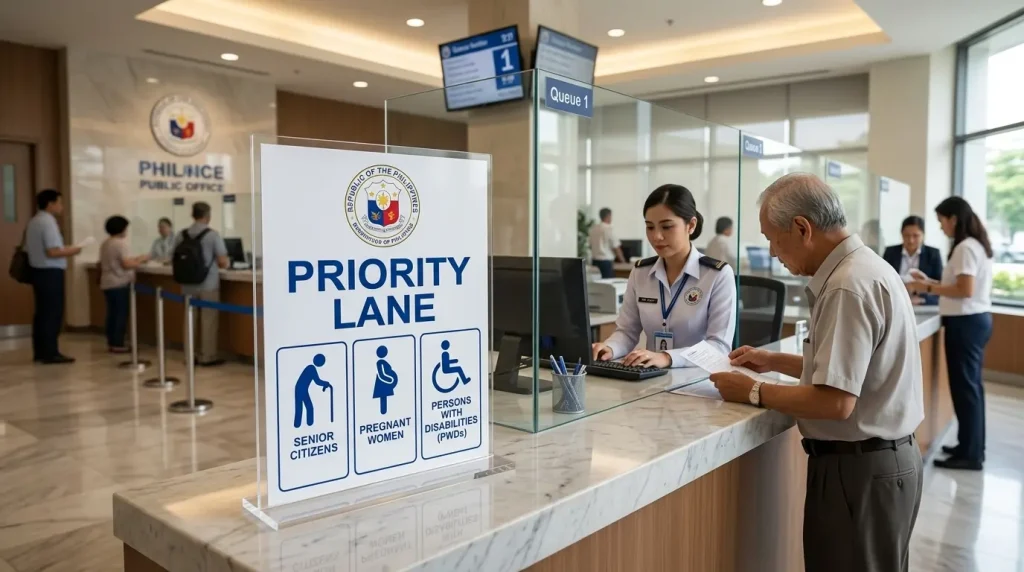
Senior Citizens and Persons with Disabilities are accommodated through priority lanes at all PSA CRS outlets. Present a Senior Citizen ID or PWD ID upon arrival. You still need a confirmed appointment, priority lane access does not exempt you from the booking requirement.
National ID Appointment
Scheduling a PSA National ID appointment uses a separate system, the PhilSys registration portal, not the CRS appointment system. If you have concerns about your existing National ID, visit the PSA National ID Appointment page for the correct process.
No Slots? Here’s What to Do
PSA Schedule: What to Do When No Slots Are Available
The PSA schedule system refreshes slot availability regularly, but high-demand outlets, particularly in Metro Manila, fill up weeks in advance.
🗺️ Check Less Busy Outlets
NCR branches like East Avenue and Mandaluyong are often fully booked. Try Valenzuela, Parañaque, or provincial branches if you’re flexible on location.
⏰ Check at Off-Peak Times
New slots are released periodically. Check the portal early morning (~8:00 AM) or late evening when cancellations are more likely to appear.
📅 Try Mid-Week Dates
Monday and Friday slots fill faster. Tuesdays through Thursdays often have more availability. Aim for the middle of the work week.
🔄 Book a Nearby Branch
PSA outlets in nearby cities process the same documents. Distance is the only tradeoff, all branches issue the same official certificates.
Common Booking Errors and Fixes
| Error | Likely Cause | Fix |
|---|---|---|
| OTP not received | Wrong mobile number or network delay | Wait 2 min, re-enter number, request new OTP |
| “No available slots” message | Branch is fully booked | Try a different branch or check next day |
| Confirmation email not received | Email went to spam or wrong address | Check spam folder; rebook with correct email |
| QR code won’t scan | Image too small or low brightness | Increase brightness or print a physical copy |
Your Entry Pass
How the PSA Appointment QR Code Works
Every confirmed PSA appointment generates a unique QR code tied to your booking. This code stores your name, document type, scheduled branch, and appointment time. PSA staff scan it at the entrance to verify your identity and fast-track your check-in, no manual form-checking required.
The QR code is non-transferable. It is valid only for the person who booked the appointment, on the scheduled date, at the chosen branch. Attempting to share or reuse a QR code results in denial of entry.
Keep the digital copy in a screenshot on your phone or forward the confirmation email to yourself as a backup. If you lose the confirmation entirely, contact the PSA helpdesk with your registered email and mobile number to retrieve your booking reference.
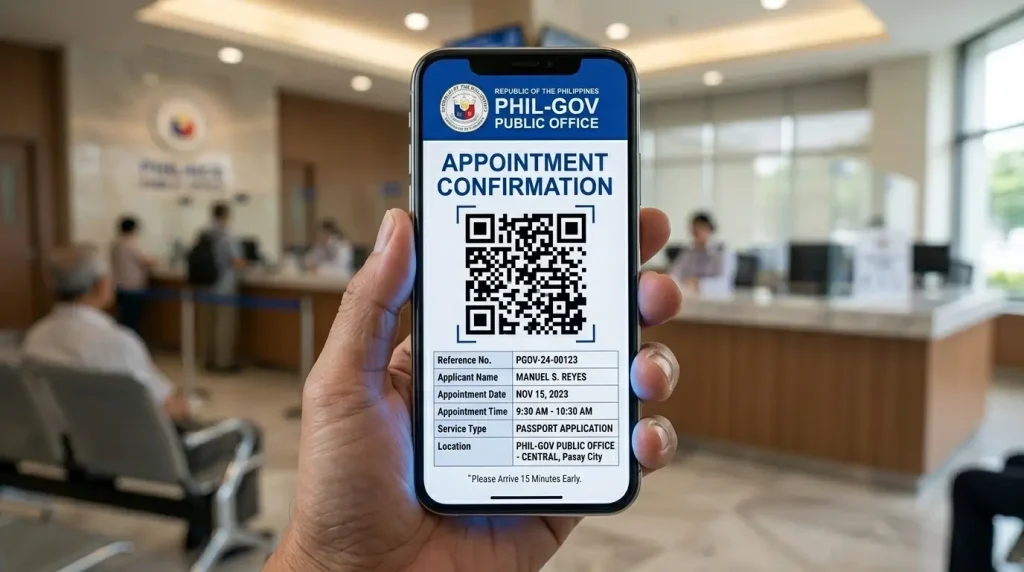
Every confirmed PSA appointment generates a unique QR code tied to your booking. This code stores your name, document type, scheduled branch, and appointment time. PSA staff scan it at the entrance to verify your identity and fast-track your check-in — no manual form-checking required.
The QR code is non-transferable. It is valid only for the person who booked the appointment, on the scheduled date, at the chosen branch. Attempting to share or reuse a QR code results in denial of entry.
Keep the digital copy in a screenshot on your phone or forward the confirmation email to yourself as a backup. If you lose the confirmation entirely, contact the PSA helpdesk with your registered email and mobile number to retrieve your booking reference.
Documents Available
PSA Certificates You Can Request Through the Appointment System
The CRS appointment system gives access to all major civil registry documents.
Common Questions
Frequently Asked Questions
Everything you need to know about booking, fees, requirements, and troubleshooting.
Booking at appointment.psa.gov.ph is completely free. The only costs are certificate fees paid at the PSA outlet: ₱155 per copy for birth, marriage, and death certificates, and ₱210 per copy for CENOMAR and CENODEATH. If any site charges a “booking fee,” you are not on the official government portal.
Missed appointments are forfeited. The PSA does not hold slots or offer grace periods for late arrivals. Return to the portal and rebook a new slot. Arrive at least 15 minutes before your scheduled time.
Yes. As an authorized representative, bring: a signed PSA authorization letter from the document owner, a photocopy of the document owner’s valid ID, and your own valid ID. One representative is limited to 2 unrelated individuals per appointment.
The portal shows slots up to 30 days ahead. High-demand NCR branches fill within 24–48 hours of new slots opening. Book as early as possible, especially for Metro Manila branches.
Three options: (1) Check alternate PSA branches in neighboring cities. (2) Check the portal early morning (~8AM) for cancellation slots. (3) Use PSAHelpline.ph for home delivery (3–10 business days). For same-day needs, try PSA satellite offices or National Book Store branches that offer PSA services.
Rescheduling is not directly available through the portal. You must cancel your existing appointment and rebook a new slot. The cancellation process is done through the same official website.
NSO (National Statistics Office) and PSA refer to the same civil registry documents. The NSO was renamed to the Philippine Statistics Authority (PSA) in 2013 under Republic Act 10625. All NSO-issued certificates remain valid — they are the same documents under the new agency name.
Yes. PSA allows free cancellation through the link in your confirmation email. Read our full guide to cancel a PSA appointment for step-by-step instructions.
Ready to Book Your PSA Appointment?
The process takes under 10 minutes. Booking is completely free. Start now on the official portal.