✅ COMPLETE GUIDE — UPDATED 2026
Online Application for National ID Philippines: Full Guide 2026
The online application for National ID in the Philippines refers to the PhilSys pre-registration process. As of 2026, the PSA has transitioned to a full walk-in system, no online form, no prior appointment needed.
Covers walk-in registration steps, PSA document requirements, 3 PhilID formats, TRN delivery tracking, and how to download your Digital National ID through the eGovPH app.
🆕 54.9M+ PhilID cards delivered as of Sep 2025 • 🔒 FREE for all Filipino citizens • 📅 No appointment required in 2026
By the Numbers
One of the Largest Civil ID Rollouts in Philippine History
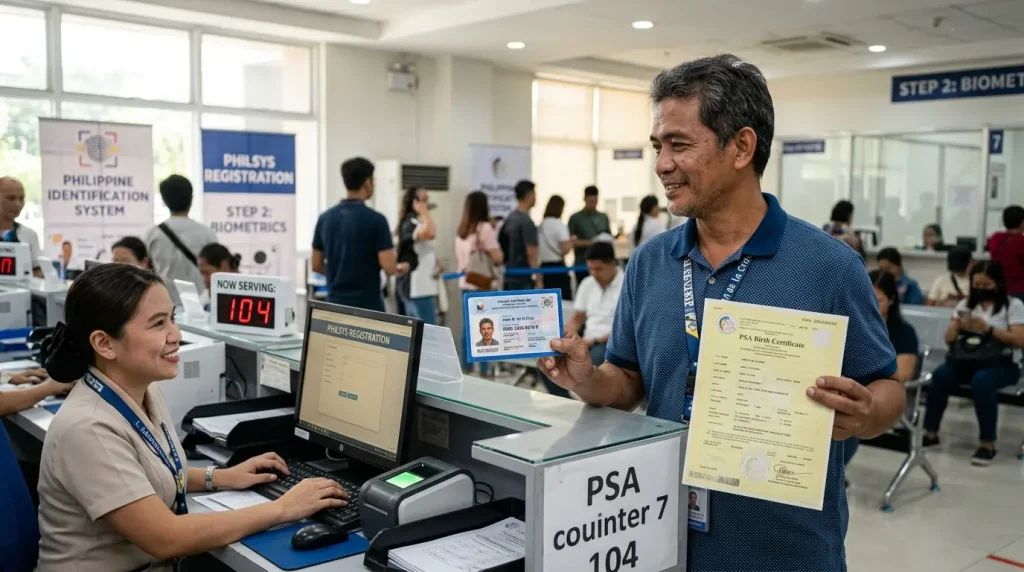
According to the PSA, a cumulative total of 54,918,895 physical PhilID cards had been delivered nationwide as of September 15, 2025. Registration is free for all Filipino citizens and the physical card has no expiration date.
About the PhilID
What Is the PhilSys National ID and Who Can Register?
The PhilSys National ID is a physical or digital government-issued identification card that assigns every registered Filipino citizen and resident alien a unique, permanent 12-digit PhilSys Number (PSN). The PSN is a randomly generated identifier that never changes, regardless of address changes, name updates, or civil status changes after registration.
The PhilSys National ID is managed by the Philippine Statistics Authority (PSA) under Republic Act No. 11055, also known as the Philippine Identification System Act.
Registration Is Open to 3 Categories of People
Filipino Citizens in the Philippines
All Filipino citizens residing in the Philippines are eligible and entitled to register for the PhilSys National ID free of charge.
Filipino Citizens Residing Abroad
Filipinos abroad register through Philippine Foreign Service Posts (Embassies and Consulates) in their country of residence.
Resident Aliens
Foreign nationals who have lived in the Philippines for at least 6 consecutive months are eligible to register. A ₱500 registration fee applies.
Registration Rules for Minors
Partial Registration Only
Demographic information and a front-facing photograph are captured. PSN is linked to the parent or legal guardian’s record. Biometrics are NOT collected at this age.
Full Biometric Capture
Full biometric registration begins at age 5: fingerprints of all 10 fingers, iris scan of both eyes, and a photograph are collected for the first time.
Biometrics Recaptured
Biometrics are recaptured at age 15 to reflect updated physical characteristics. This ensures the PhilID remains accurate through physical development.
Special Registration Centers
OFWs register at PSA-designated centers inside select Department of Migrant Workers (DMW) offices, available to both departing and returning OFWs.
Most Important Update for 2026
Is Online Registration for the National ID Still Available in 2026?
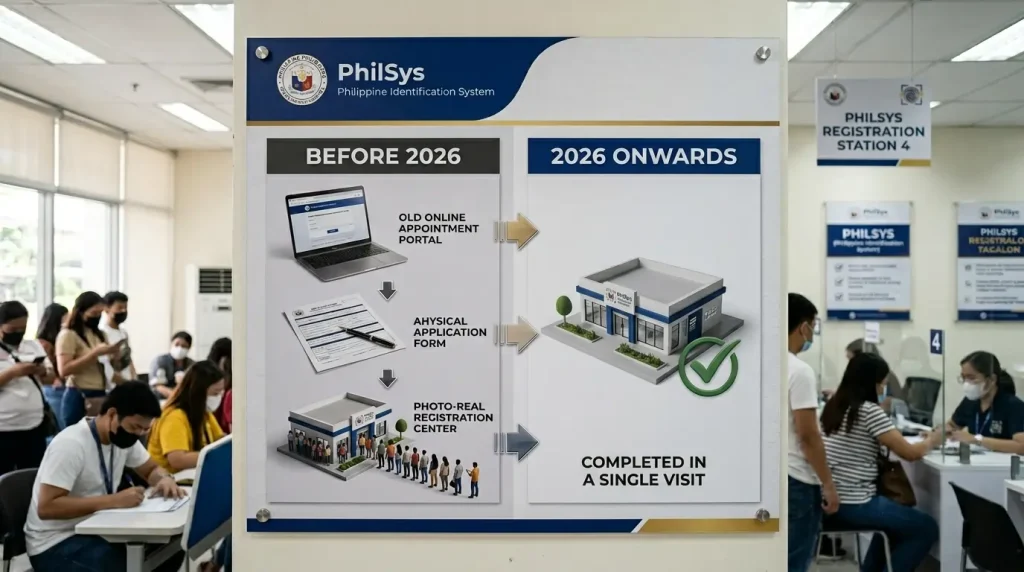
As of 2026, the PhilSys online pre-registration portal is no longer required. The PSA has transitioned to a streamlined full walk-in system. All demographic data capture and biometric collection now take place in a single in-person visit at any PhilSys Registration Center, with no prior online form submission needed.
🚨 The Single Most Important Fact for 2026
Do not wait for an online pre-registration phase to open. That step has been removed from the process. Walk directly into any PhilSys Registration Center with your supporting documents and complete your entire registration the same day.
Here’s what many Filipinos get wrong: they spend time searching for an online registration form, trying to book an appointment online, or waiting for a system notification that never comes. None of that is required anymore. The process is walk-in only, no appointment, no online form, no waiting for a schedule.
Step-by-Step Registration
How Do You Register for the National ID in 2026?
Registering for the PhilSys National ID in 2026 takes 4 steps, all completed in a single walk-in visit to any PhilSys Registration Center. No appointment is required. The process typically takes 30 to 60 minutes, depending on the queue.
Go to a PhilSys Registration Center
Registration Centers are located at 4 types of sites across the Philippines. Centers operate Monday to Friday, 8:00 AM to 5:00 PM.
Present Your Supporting Documents to the Registration Kit Operator (RKO)
The Registration Kit Operator (RKO) is the PSA staff member assigned to receive, verify, and process your documents at the registration center. Present your original supporting documents to the RKO.
Complete Biometric Capture
Biometric capture includes 3 data points. Demographic data (full name, date of birth, sex, address, and contact details) is validated against your submitted documents at this stage. Review and confirm all captured information on the screen before final submission.
Receive Your Transaction Reference Number (TRN)
The Transaction Reference Number (TRN) is a unique code printed on the registration slip issued to you immediately after completing registration. The TRN serves 2 critical functions:
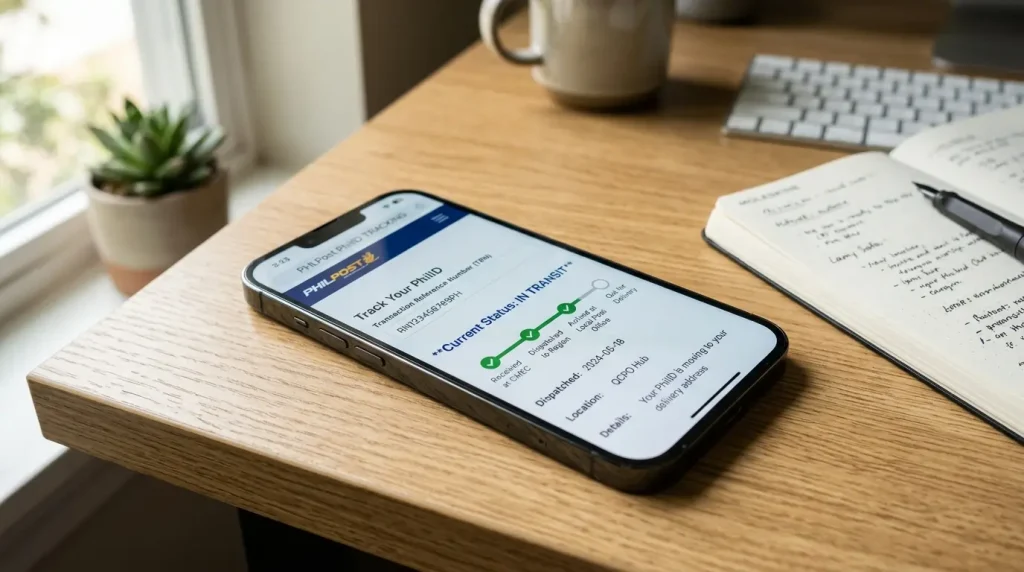
Track your PhilID delivery status through the PHLPost tracking portal using your TRN.
Access the ePhilID paper format and the Digital National ID once your registration is processed.
What to Bring
What Documents Do You Need to Register for the National ID?
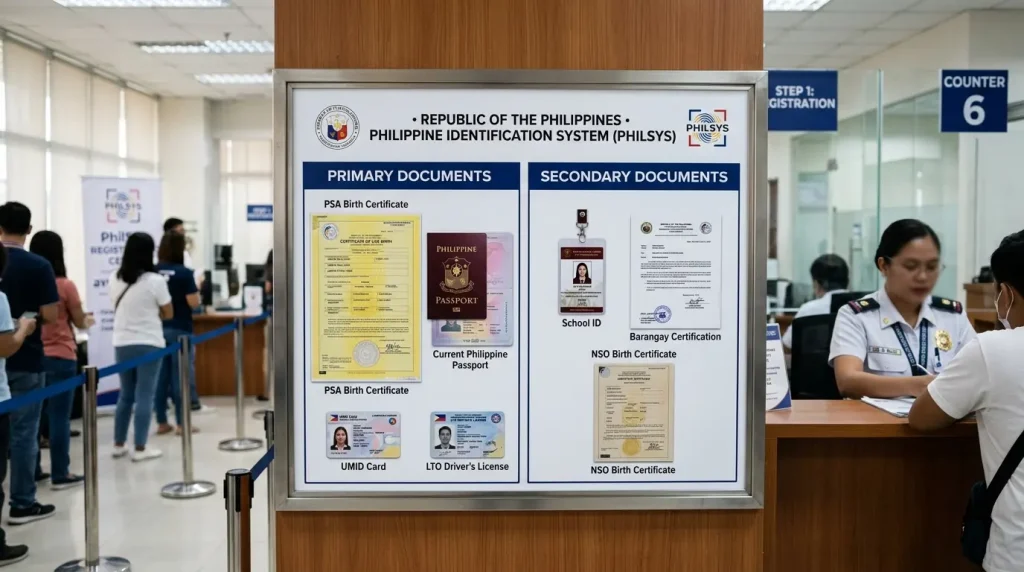
PhilSys National ID registration requires 1 primary supporting document. Primary documents independently confirm your identity, citizenship, and basic demographic details without requiring supplementary evidence.
📄 PSA Birth Certificate — Most Common Option
The PSA birth certificate plus one government-issued photo ID is the most commonly used option, especially for first-time applicants who do not yet have a passport, UMID, or driver’s license.
3 Equally Valid Formats
What Are the 3 Formats of the PhilSys National ID?
All 3 formats of the PhilID carry equal legal validity for all government and private sector transactions under Republic Act No. 11055. Refusing to accept any of the 3 formats is a violation of the PhilSys Act and carries a penalty of up to ₱500,000.
Physical National ID Card
Plastic card produced by BSP, delivered by PHLPost
Contains the registrant’s name, photograph, date of birth, address, blood type, sex, and a unique PhilSys Card Number (PCN). Delivered to the registrant’s address by PHLPost. The physical card has no expiration for Filipino citizens.
ePhilID (Paper Format)
Printed at any PhilSys Registration Center using your TRN
A printed paper version of the PhilID available immediately after registration by presenting your TRN at any PhilSys Registration Center. Also downloadable as a PDF from ephilid.philsys.gov.ph using your registered mobile number for OTP verification. Serves as a valid ID while waiting for the physical card.
Digital National ID
Accessed through the eGovPH app with facial recognition
An electronic version of the PhilID accessible through the eGovPH app (Google Play or App Store) or through national-id.gov.ph. Secured with a one-time facial recognition verification. Screenshots are not valid — the original file displayed within the app must be shown.
Check Your Card Status
How Do You Track Your National ID Delivery?
National ID delivery is tracked using your TRN on the PHLPost tracking portal at tracking.phlpost.gov.ph. PHLPost is the official courier responsible for delivering all physical PhilID cards nationwide.
📦 4 Delivery Status Stages
🕐 Delivery Timelines
📋 3 Options When Your Card Is Delayed
Go to any PhilSys Registration Center, present your TRN, and request a printed ePhilID paper format on the spot. Issued free of charge.
Download the Digital National ID through the eGovPH app immediately after your biometrics are confirmed in the system.
Contact PhilSys customer service at hotline 1388 or email info@philsys.gov.ph to inquire about your card status.
Access Your Digital PhilID
How Do You Download the Digital National ID?
The Digital National ID is downloaded through the eGovPH app, available on Google Play Store and Apple App Store, or through the portal at national-id.gov.ph. The download is secured with a one-time facial recognition step.
Install the eGovPH app from Google Play Store or Apple App Store, or access the portal at national-id.gov.ph. The app is a joint project of the PSA and the Department of Information and Communications Technology (DICT).
Complete a one-time facial recognition step that matches your live camera image against the biometric photograph captured during your PhilSys registration. This secures your Digital National ID against unauthorized access.
Your Digital National ID is now accessible within the eGovPH app. The original file displayed within the app must be shown for transactions. Screenshots of the Digital National ID are NOT valid.
The ePhilID is also downloadable as a PDF from ephilid.philsys.gov.ph by entering your registered mobile number and an OTP sent to that number. This is a separate download from the Digital National ID in the eGovPH app.
🔒 Password for the Digital ID PDF
The downloaded Digital National ID is a password-protected PDF file. The password is the registrant’s date of birth in the format MMDDYYYY with no spaces or special characters.
🆕 ePhilID vs Digital National ID
Downloaded from ephilid.philsys.gov.ph via OTP on your registered mobile number. Paper or PDF format.
Accessed through the eGovPH app with facial recognition. Must show original in-app file, not a screenshot.
Common Questions
Frequently Asked Questions
Everything you need to know about PhilSys National ID registration, formats, tracking, and document requirements.
How do I apply for a National ID online in the Philippines in 2026?
Online registration for the National ID is no longer required as of 2026. The PSA has replaced the previous online pre-registration system with a full walk-in process. Go directly to any PhilSys Registration Center, bring your primary supporting document (PSA birth certificate, passport, UMID, or driver’s license), complete your biometric capture in one visit, and receive your TRN the same day. No appointment and no online form are required.
What documents do I need to register for the National ID at the PSA?
PhilSys National ID registration requires 1 primary supporting document from 4 options: a PSA-issued Certificate of Live Birth plus one government-issued photo ID, a Philippine Passport, a UMID card, or an LTO driver’s license or student permit. Applicants without any primary document present 2 secondary documents together, each containing a photograph, full name, address, and date of birth.
How long does it take to receive the physical National ID card?
Physical PhilID delivery takes 2 to 6 weeks after PSA processing approval in most Metro Manila and urban areas. Remote, island, and coastal regions experience longer timelines due to PHLPost routing. Track your delivery using your TRN at tracking.phlpost.gov.ph. Request a printed ePhilID from any PhilSys Registration Center if the physical card is delayed.
Is the National ID registration free?
National ID registration is completely free for all Filipino citizens for first-time issuance. Resident aliens pay a ₱500 registration fee. Replacement of a lost or damaged physical card carries a ₱135 fee, unless the registrant presents a Certificate of Indigency from the barangay, in which case replacement is free.
What is the difference between the ePhilID and the Digital National ID?
The ePhilID is a paper format of the PhilID either printed at a PhilSys Registration Center or downloaded as a PDF from ephilid.philsys.gov.ph. The Digital National ID is an electronic format accessed through the eGovPH mobile app or national-id.gov.ph, secured with facial recognition verification. Both carry the same legal validity as the physical plastic card under RA 11055.
Can I use my National ID instead of a PSA birth certificate for transactions?
The National ID serves as valid proof of identity for all government and private sector transactions. For specific processes that require the PSA birth certificate as the primary document — such as a first-time PSA passport application or PhilSys registration itself — the PSA birth certificate remains a separate requirement. The National ID and the PSA birth certificate serve different documentary roles: one proves current identity, the other proves birth registration.
How do I track my National ID if I lost my TRN slip?
Lost TRN recovery requires a visit to any PhilSys Registration Center with a valid ID. Provide your full name, date of birth, and sex to the registration staff, who retrieve your TRN from the PhilSys database. Avoid providing your TRN on unofficial websites or social media, as TRN data is sensitive registration information.
Ready to Register for Your PhilSys National ID?
Walk in to any PhilSys Registration Center with your PSA birth certificate or other primary document. Registration is free, takes 30 to 60 minutes, and you leave with your TRN the same day.
✅ FREE for Filipino citizens • 📅 No appointment required • 🔋 PSN never changes • 💳 No expiration for Filipino citizens